Enhancing Customer Experience: ChatGPT and SAP FSM Integration.
The service report, and why it bottlenecks
A technician wraps up a job and types their observations on a phone, often standing, sometimes in the rain. The text ships as written: abbreviations, shop jargon, half-sentences. Someone — a dispatcher or a project manager — then reads it and rewrites it before it reaches the end customer. That review step costs two people time and delays closure.
The principle: extend, do not modify
The idea fits in one sentence: let technicians write the way they write, and have a language model rephrase the text at the moment the dispatcher looks at it. None of this touches the SAP FSM core. You build an extension, declare it on the dispatching board, and it lives alongside the standard — so it survives upgrades.
Step 1 · Build and deploy the extension
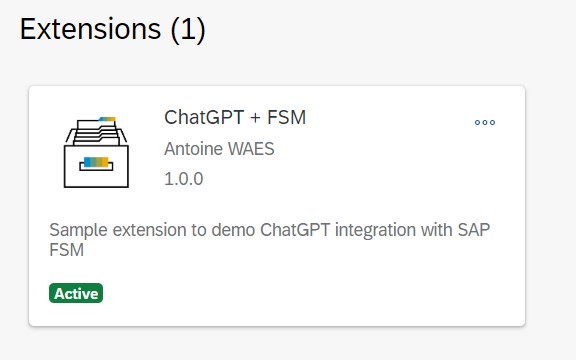
SAP publishes sample extensions on GitHub that make a good starting point: they already carry the context FSM passes in (tenant, company, token, selected object). Start from one, create your repository, switch on GitHub Pages — you get a public HTTPS URL, which is enough to host an FSM extension for the length of a prototype.
Step 2 · Declare it in SAP FSM
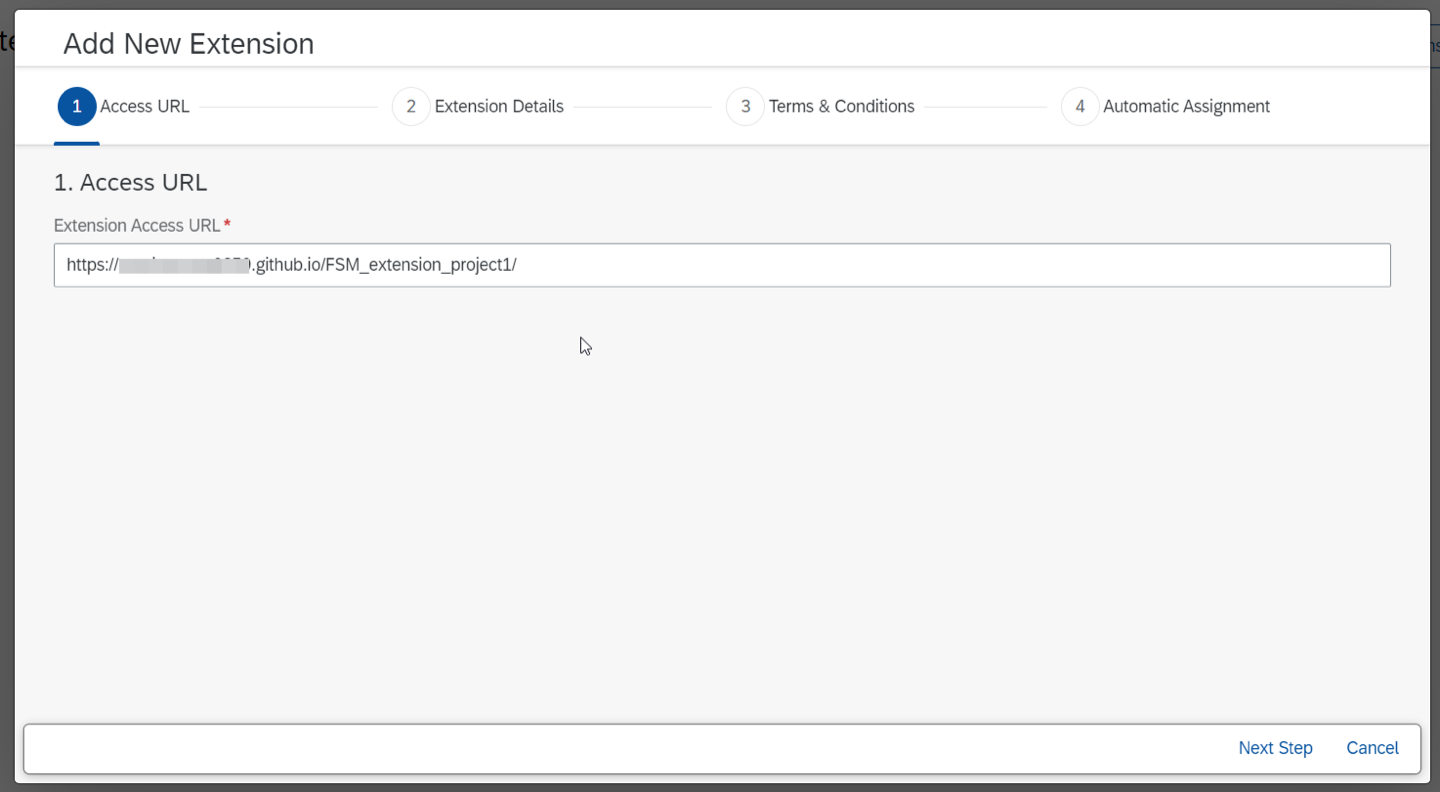
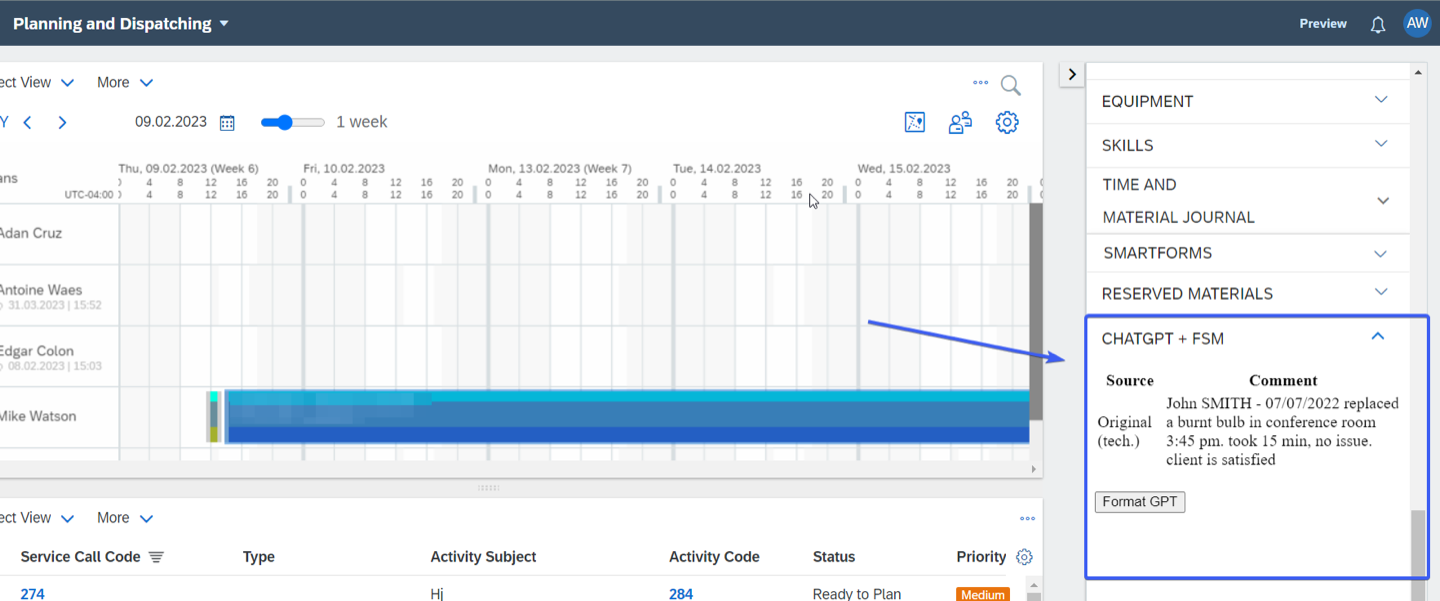
In FSM administration, add the extension to a screen by pointing at the GitHub Pages URL. We put ours in the right-hand panel of the dispatching board: the dispatcher sees it refresh as soon as they select an activity, without switching screen or losing context.

Step 3 · Retrieve the technician's comment
The comment sits in the activity remark field, populated by a business rule. Getting to it takes two chained Data API calls: the activity first, then the service call it belongs to — the latter carries the subject of the job, which is useful context to hand the model.
// Fetch the Activity object
fetch(`https://${cloudHost}/api/data/v4/Activity/${activityId}` +
      `?dtos=Activity.37&account=${account}&company=${company}`, { headers })
  .then((response) => response.json())
  .then((json) => {
    const activity = json.data[0].activity

    // Fetch the ServiceCall this activity belongs to
    fetch(`https://${cloudHost}/api/data/v4/ServiceCall/${activity.object.objectId}` +
          `?dtos=ServiceCall.21&account=${account}&company=${company}`, { headers })
      .then((response) => response.json())
      .then((json) => resolve(json.data[0].serviceCall))
  })
Step 4 · Call the model
With the text in hand, all that is left is asking for the rewrite. The instruction matters more than the model: "rephrase this as a mechanical engineer" gives a very different result from "summarise this". That is the parameter to iterate on with the business teams, until the register matches what your customers expect.
function callOpenAI(inputText) {
  fetch('https://api.openai.com/v1/chat/completions', {
    method: 'POST',
    headers: {
      'Content-Type': 'application/json',
      Authorization: `Bearer ${apiKey}`,
    },
    body: JSON.stringify({
      model: 'gpt-3.5-turbo',
      max_tokens: 60,
      messages: [
        { role: 'user', content: `Rephrase this as a mechanical engineer: ${inputText}` },
      ],
    }),
  })
    .then((response) => response.json())
    .then((data) => updateUI(data.choices[0].message.content))
    .catch((error) => console.error('Error:', error))
}
What the dispatcher sees
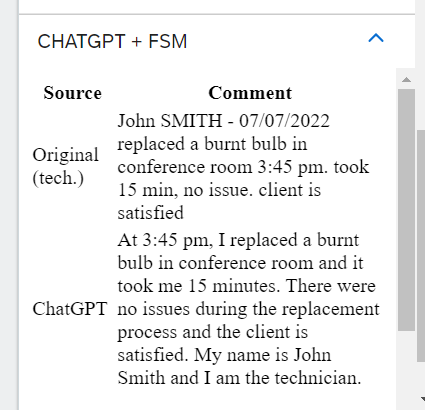
Selecting an activity shows the technician's raw comment. A "Format GPT" button fires the call and swaps in a clean version, presentable to the end customer. The dispatcher stays in control: they read it, edit if needed, approve. The chore goes away, the human check does not.
What we would do differently today
This proof of concept dates from 2023 and has aged on two points worth knowing before you reuse it. Security first: an API key called from the browser is readable by anyone using the extension — in production, the call goes through an intermediate service that alone holds the key. Then the model: gpt-3.5-turbo is no longer the default choice, and later generations follow tone instructions far more closely.
- Never ship the API key in the front end: a server-side proxy holds it and enforces quotas.
- Log the rewrites: text sent to a customer has to stay traceable and reproducible.
- Tell the teams the text is AI-assisted: transparency avoids unpleasant surprises, with customers and with staff representatives alike.
Where it goes next
Report rewriting is only a way in. The same pattern — extension, API call, result rendered in the screen the user already works in — covers summarising an equipment history, suggesting the parts for a job, or translating a report for a foreign customer. If one of those sounds familiar, let us talk.
An earlier version of this article appeared on the SAP Community Blog