An introduction to SAP FSM Extensions: Smartform Manager.
Checklists, the recurring workshop topic
Across the FSM projects we run, managing checklists — smartforms — comes up in almost every workshop. That is no accident: it is one of the few objects in the system that is at once a production tool, a burden on the technician, and a shop window for the customer.
- Operationally: the checklist evidences the quality and completeness of the job.
- For the technician: filling it in takes time, in the field, in poor conditions.
- For the customer: it is often the only document they will ever see of your work.
Where it rubs
Balancing those three is always awkward. Many organisations choose to review checklists before they go out — to confirm the work matches expectations, or simply to fix jargon, abbreviations and typos. SAP FSM fills smartforms in perfectly well, from web or mobile, online or offline; what it does not give you is an overview. To review, you open each service call, each activity, each equipment record a form is attached to, one at a time.
One screen
That gap is why we built Smartform Manager. The extension gathers every checklist onto a single screen, with search, filters, sorting and pagination. Searching "Smith" to keep only the forms he is responsible for, then narrowing to the "Replacement Form" template, takes two gestures instead of a browsing session.
Actions while you read
Every row carries its own shortcuts, so you stop bouncing back into the rest of FSM: open the linked object in a new tab, generate a PDF preview of the completed form, or open it in its web view. The reviewer stays on their working screen.
The approval trail
Smartform Manager can also approve a checklist and, more to the point, record who approved it, when, and with what remarks. That is what turns an informal review into an auditable trail — which matters the day a customer disputes a report.
Installing it on your tenant
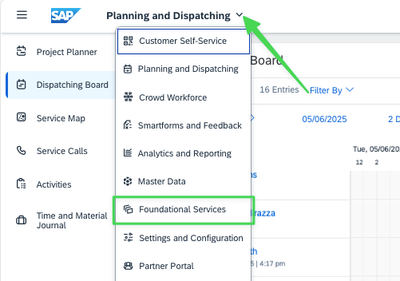
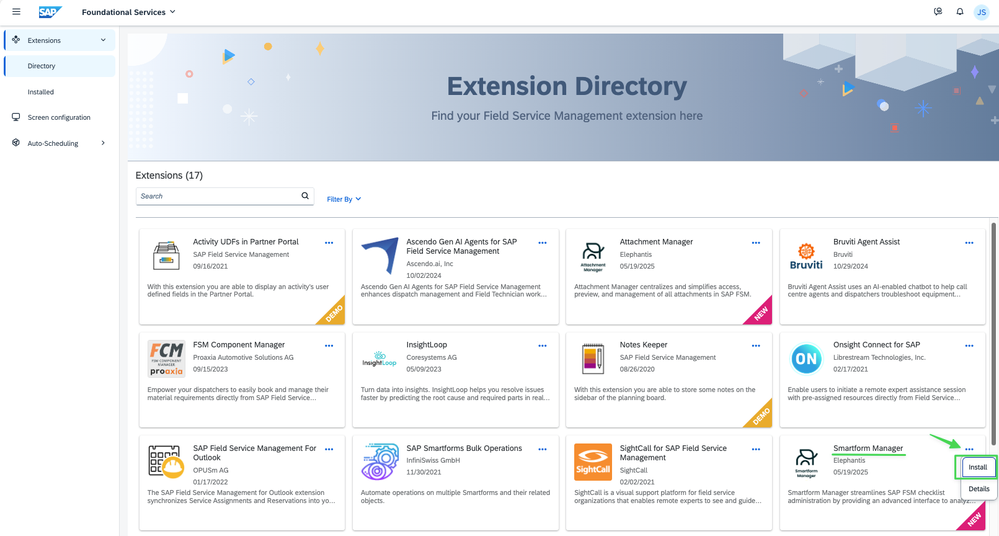
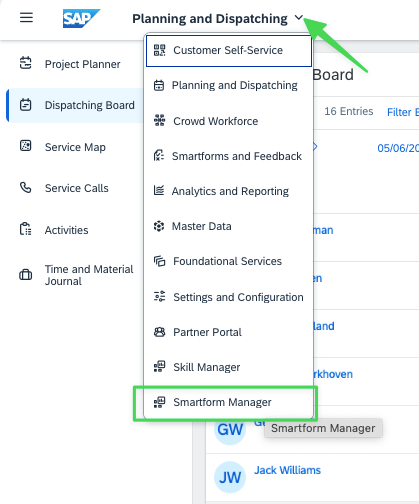
Installation takes no development at all, only a SUPERUSER role. From anywhere in SAP FSM, open the contextual menu and pick "Foundational Services", then find Smartform Manager in the extension directory.
Choosing your options at install time
The three-dot menu offers "Install". You accept the terms, then pick the parameters that suit you — including whether to switch the approval flow on. Leave it off and the Approval column simply disappears from the screen, and checklists cannot be approved.
What extensions really change
Smartform Manager is only one example. The real point lies elsewhere: the usual price of SaaS is living with the vendor's roadmap. Extensions invert that — they let you fit the solution to a specific business without waiting for the standard to take an interest, and without touching the core. That is the difference between a tool you put up with and a tool that serves you.
An earlier version of this article appeared on the SAP Community Blog